KCAL LEDGER
Track each meal like a daily ledger.
Type a sentence or add a photo. Kcal Ledger estimates calories and macros, then lets you review every result before saving it. Built for real Taiwanese meals.


Log food your way
No nutrition tables to search or ingredients to break down yourself. Choose the way that works for you.
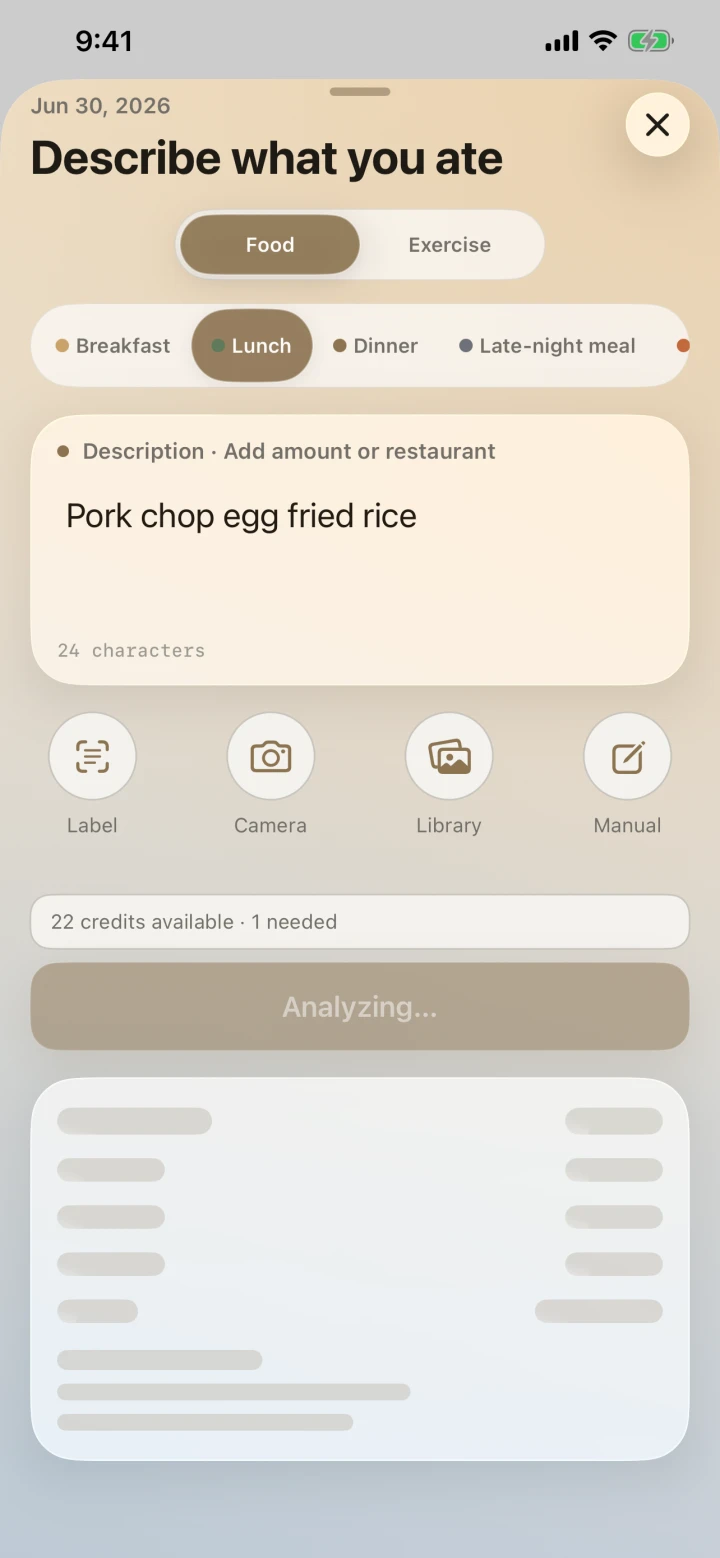
Describe a meal
Enter the foods, drinks, portions, sugar level, and ice level you actually ordered.
Add a photo
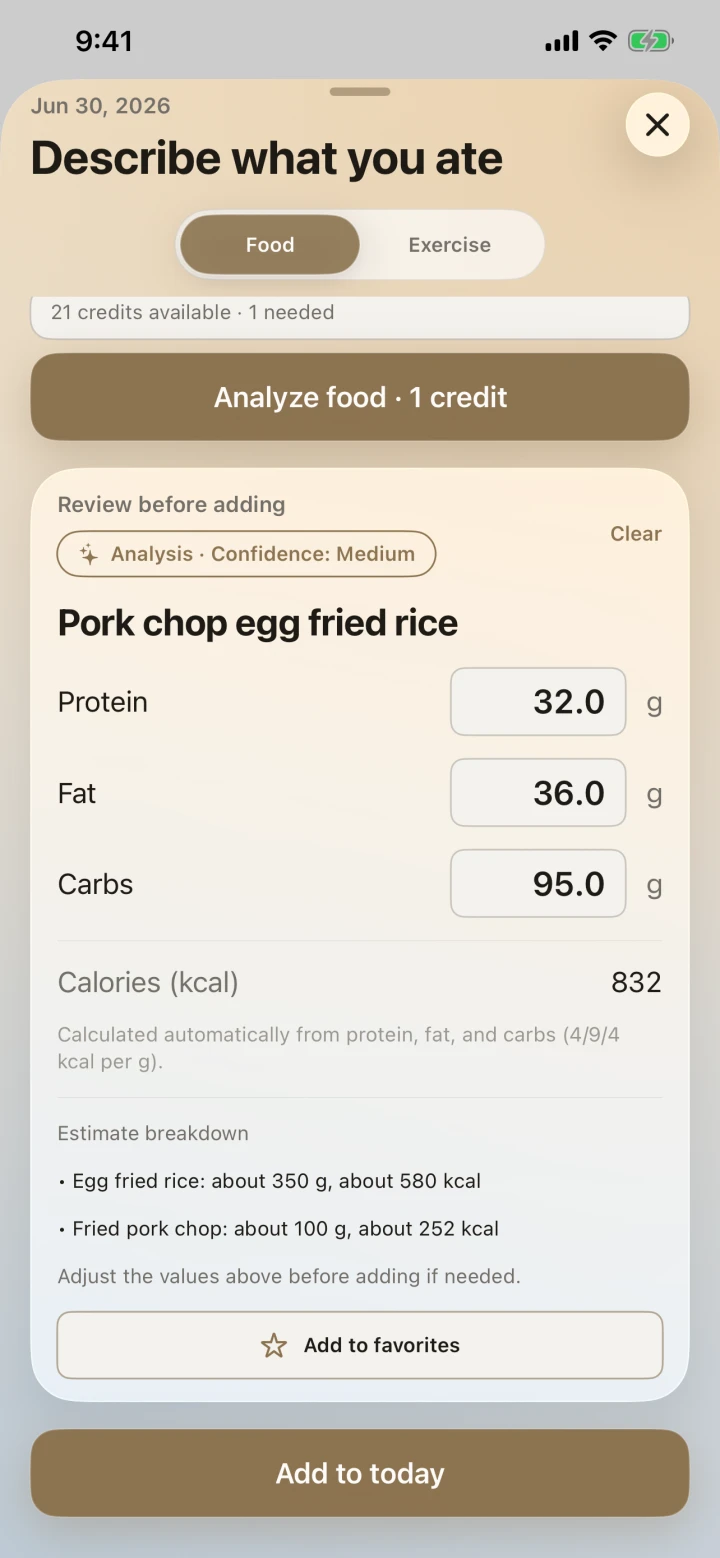
Use a meal photo to estimate the food and portion, then edit anything before saving.
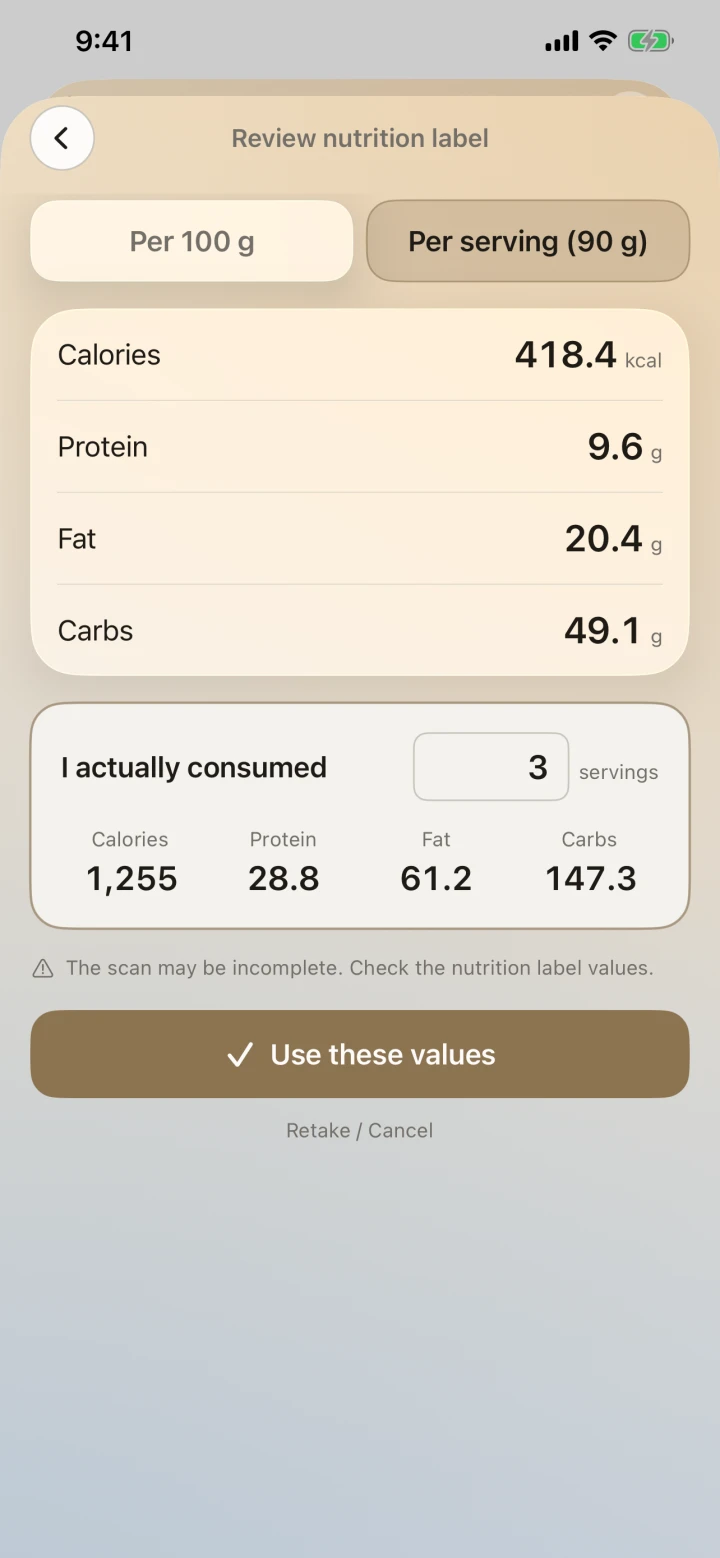
Scan a nutrition label
Read packaged-food nutrition labels directly on your device without spending credits.
Reuse your favorites
Save foods you eat often as favorites, then add them again with one tap instead of typing them out.
Estimates you can understand
AI is your assistant, not your judge. Reports show patterns and trends, not just numbers.
AI estimates. You decide.
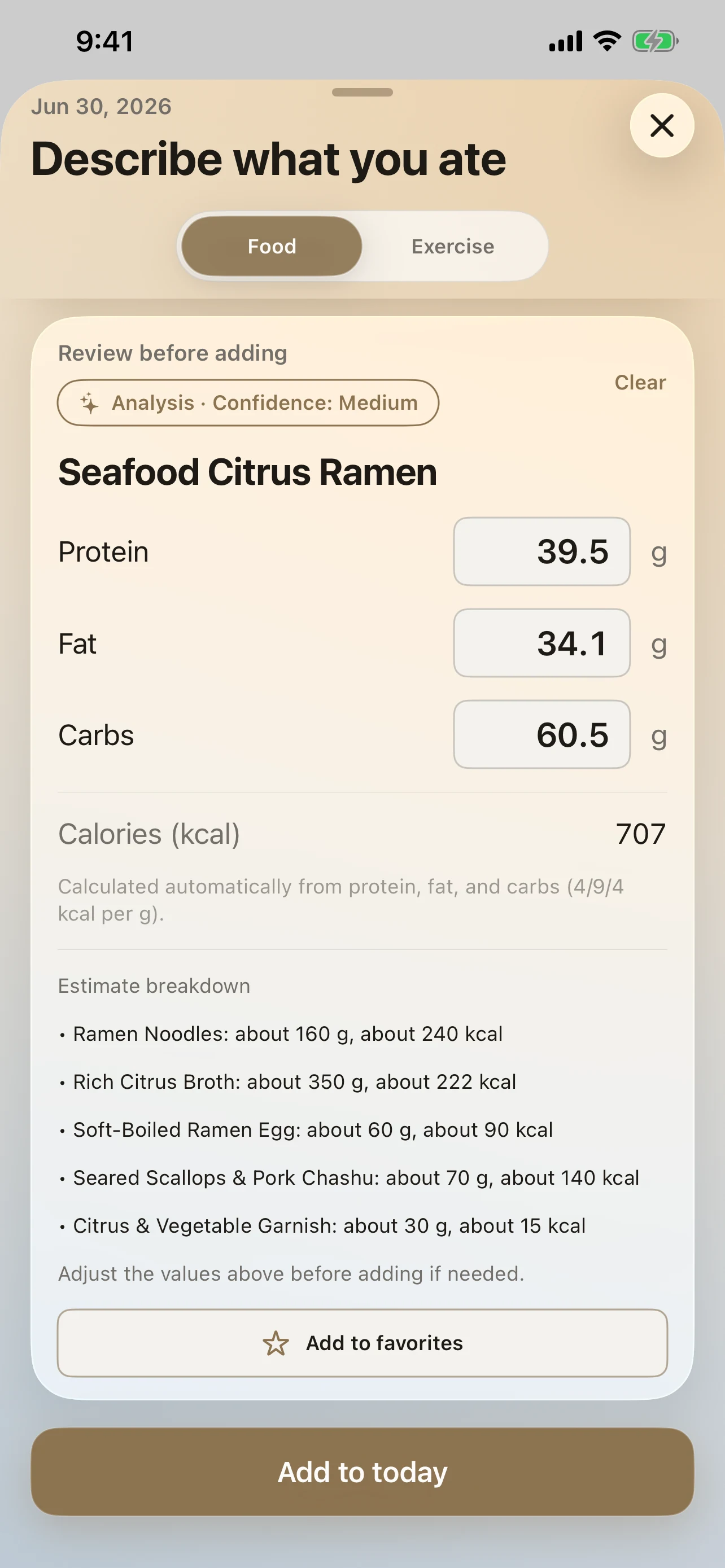
Review every analysis, edit each item, or discard it. Nothing becomes a saved record until you confirm.
Built for Taiwanese meals
Hand-shaken drinks with your sugar and ice choices, bento boxes, convenience-store food, breakfast shops, and local takeout.
Find your next step
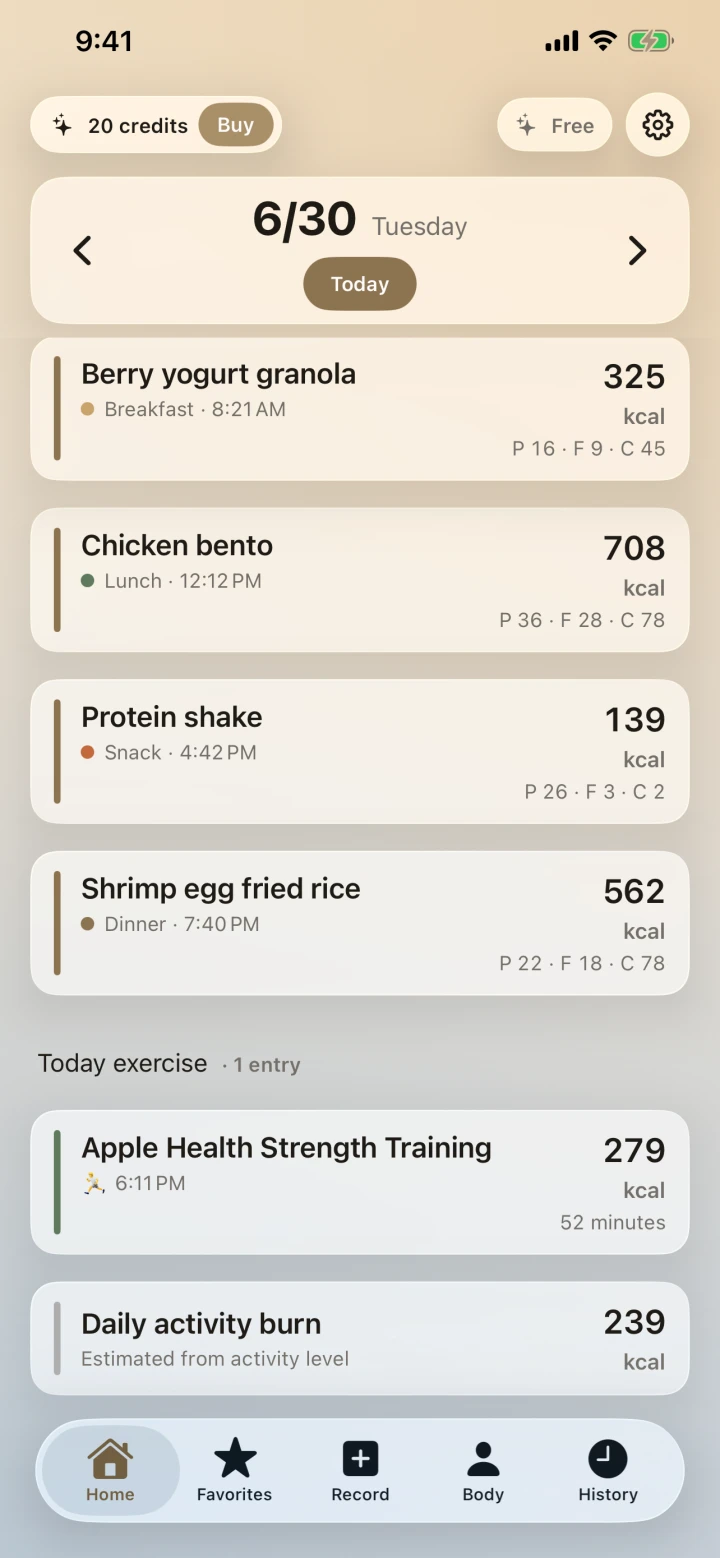
See today's progress on Home. Weekly and monthly reports help explain which days and meals shaped your results.
Check without opening the app
Add a widget to your Home Screen to see your remaining calories and protein at a glance.
Keep water in the picture
Quickly add the plain water you drink. The daily goal starts at 2,000 mL, can be customized, and has optional reminders that are off by default.
From today’s log to long-term trends
Explore meal entry, exercise, reports, goals, and body changes. These previews show the English interface. Swipe each row or use its arrow keys to see more.
Log a meal in seconds
Type, add a photo, or scan a label. Review the result before saving.

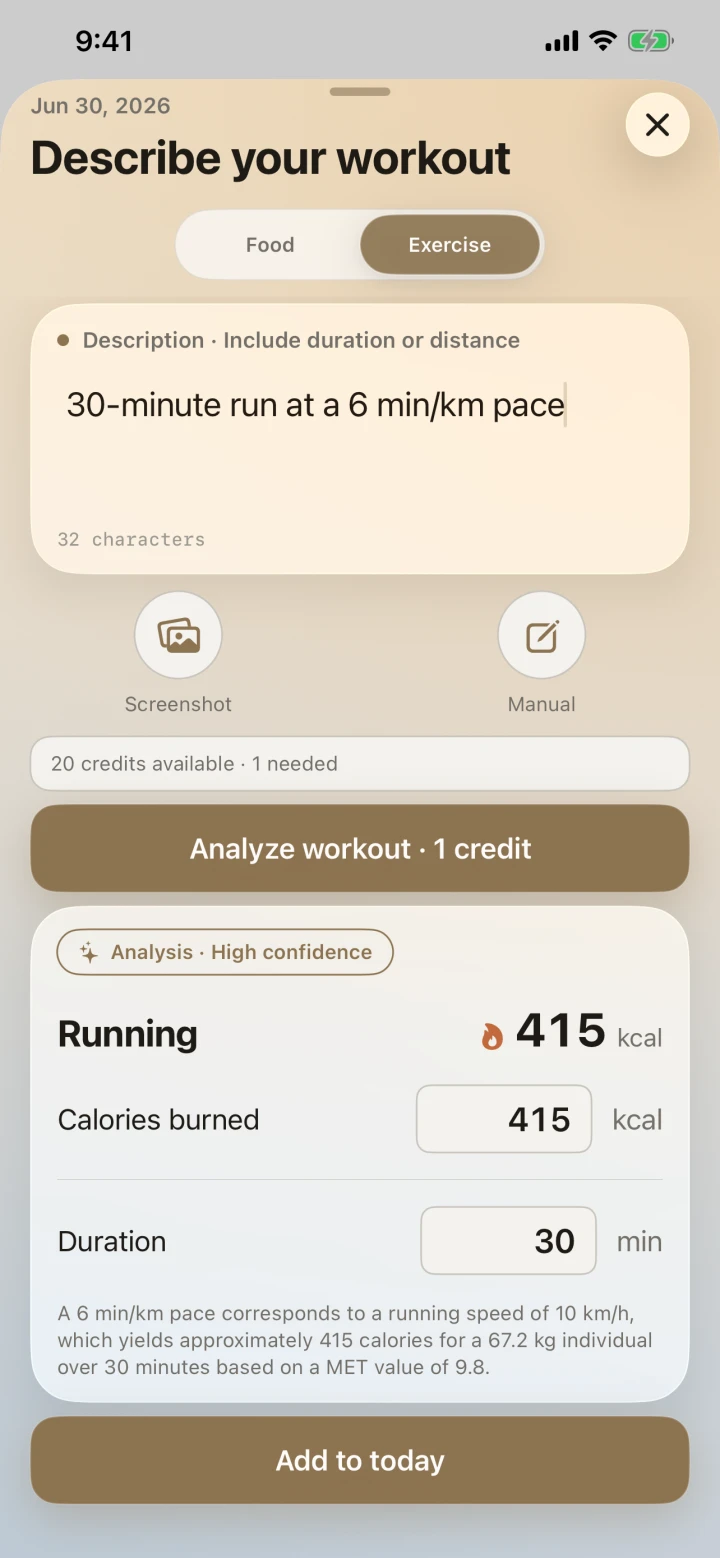
Keep movement in the picture
Describe a workout or import activity from Apple Health.
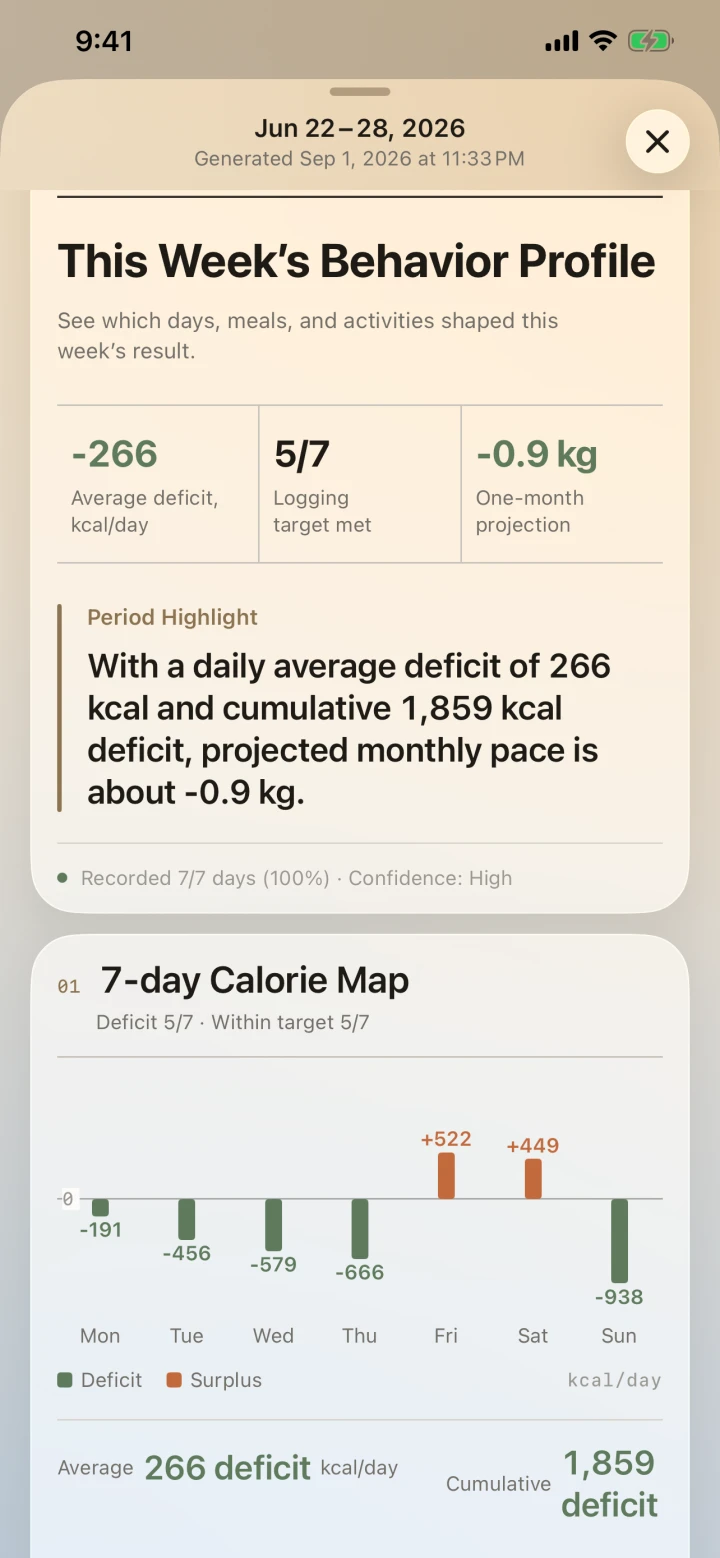
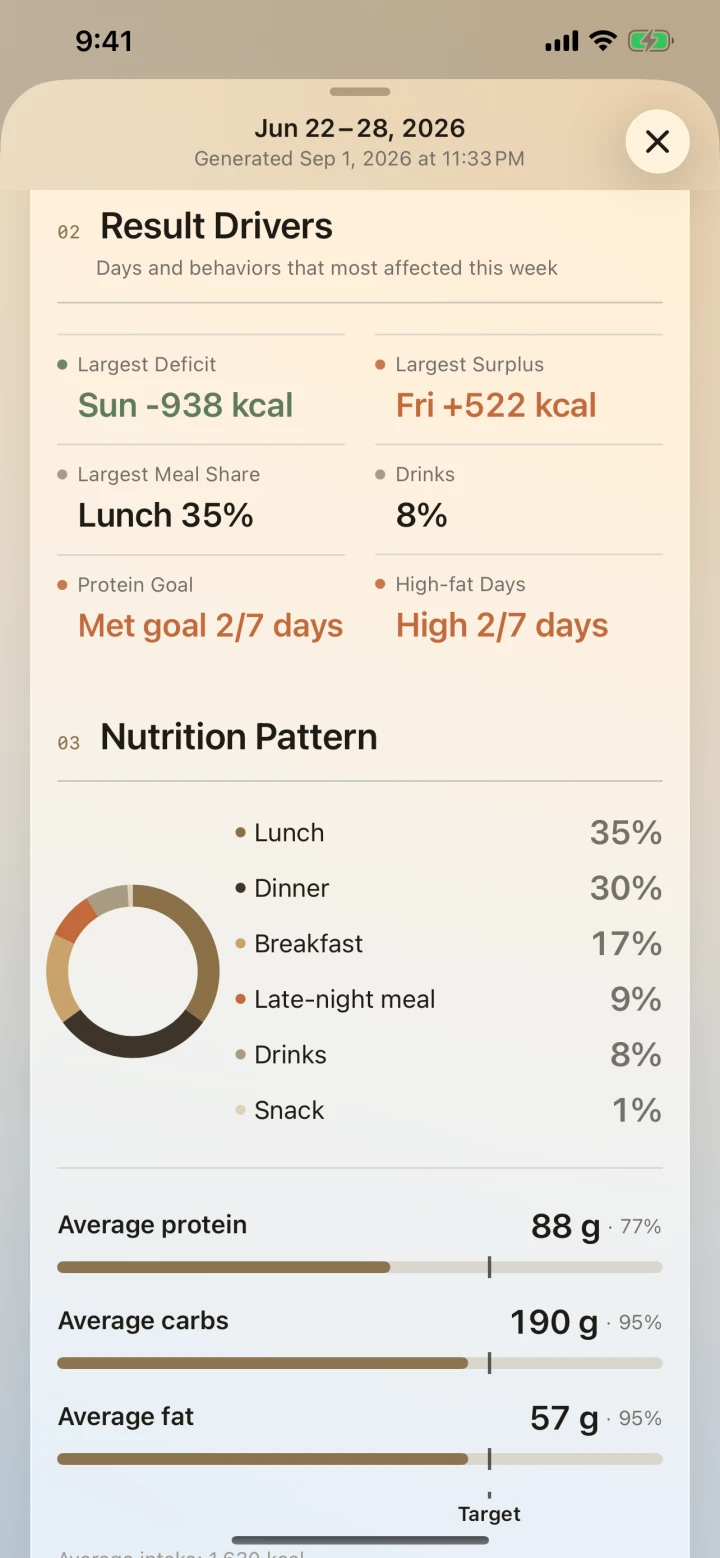
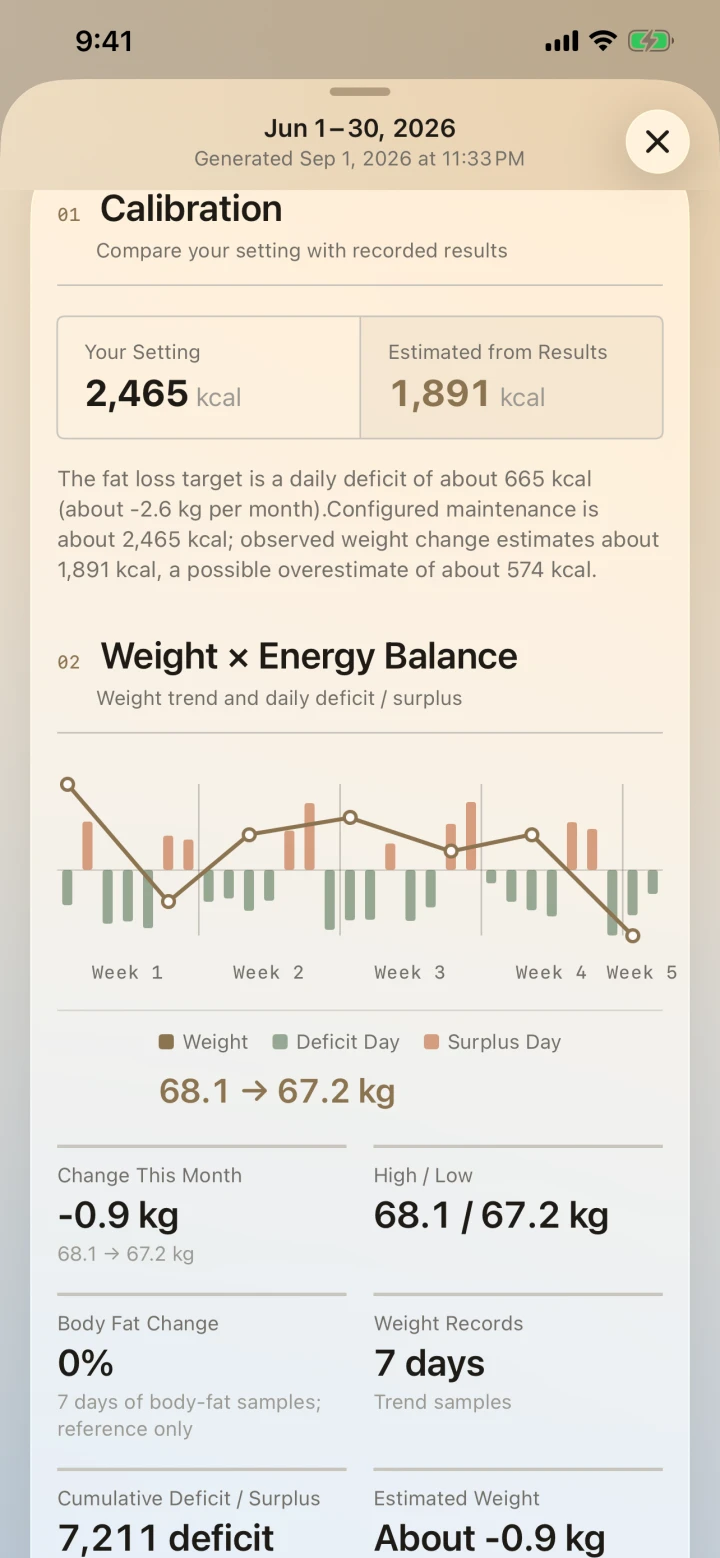
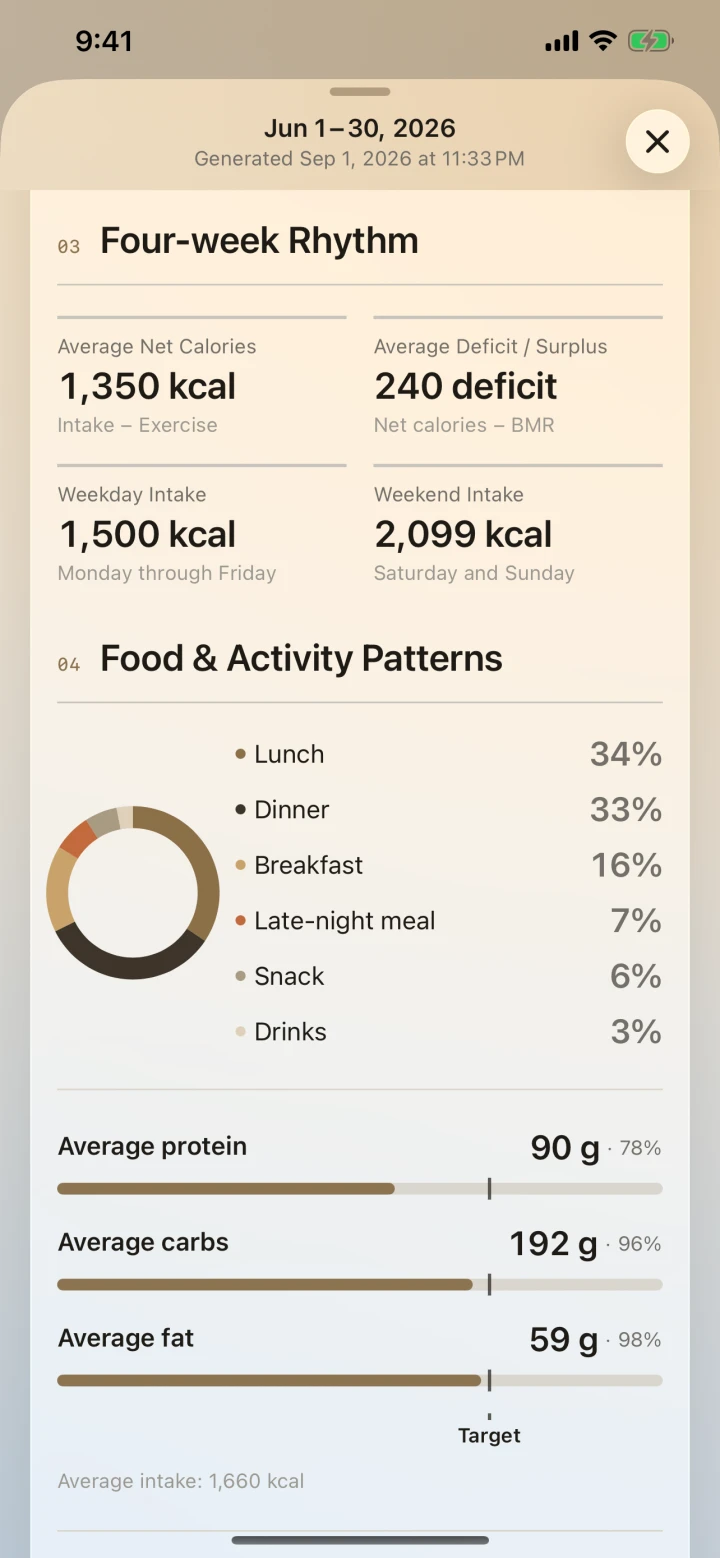
Find patterns behind the numbers
See which days and meals shaped your results, then review your goals.
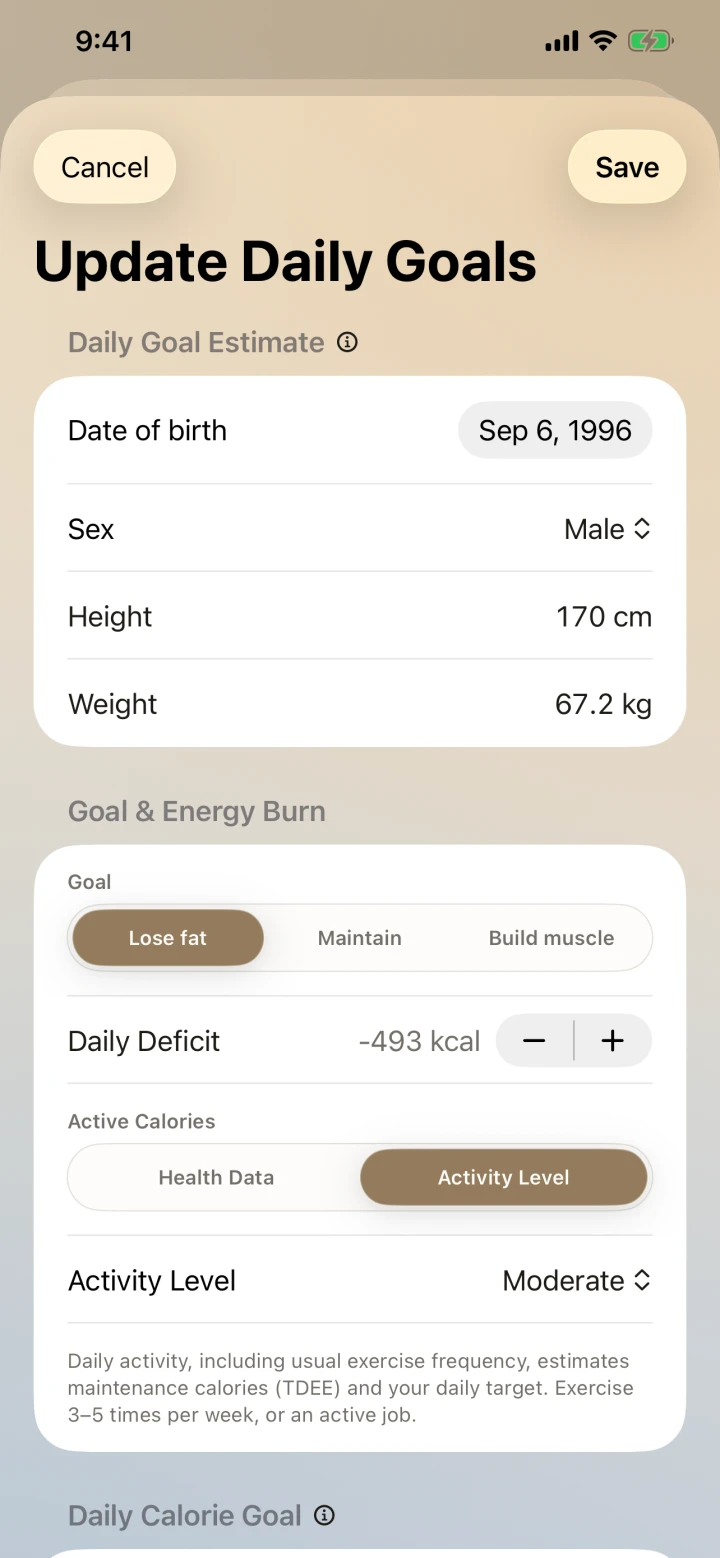
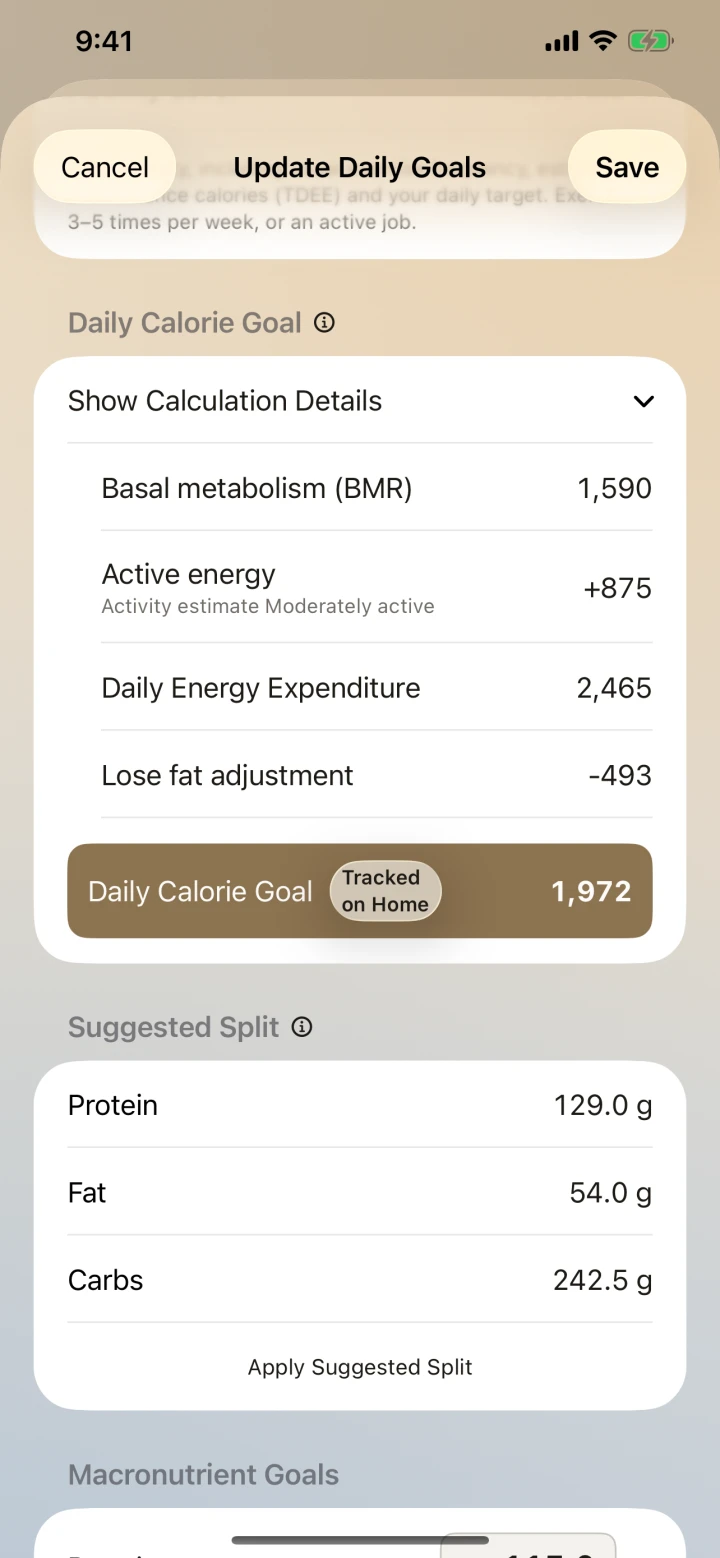
Connect your goals and progress
View energy balance, weight, and body changes together.
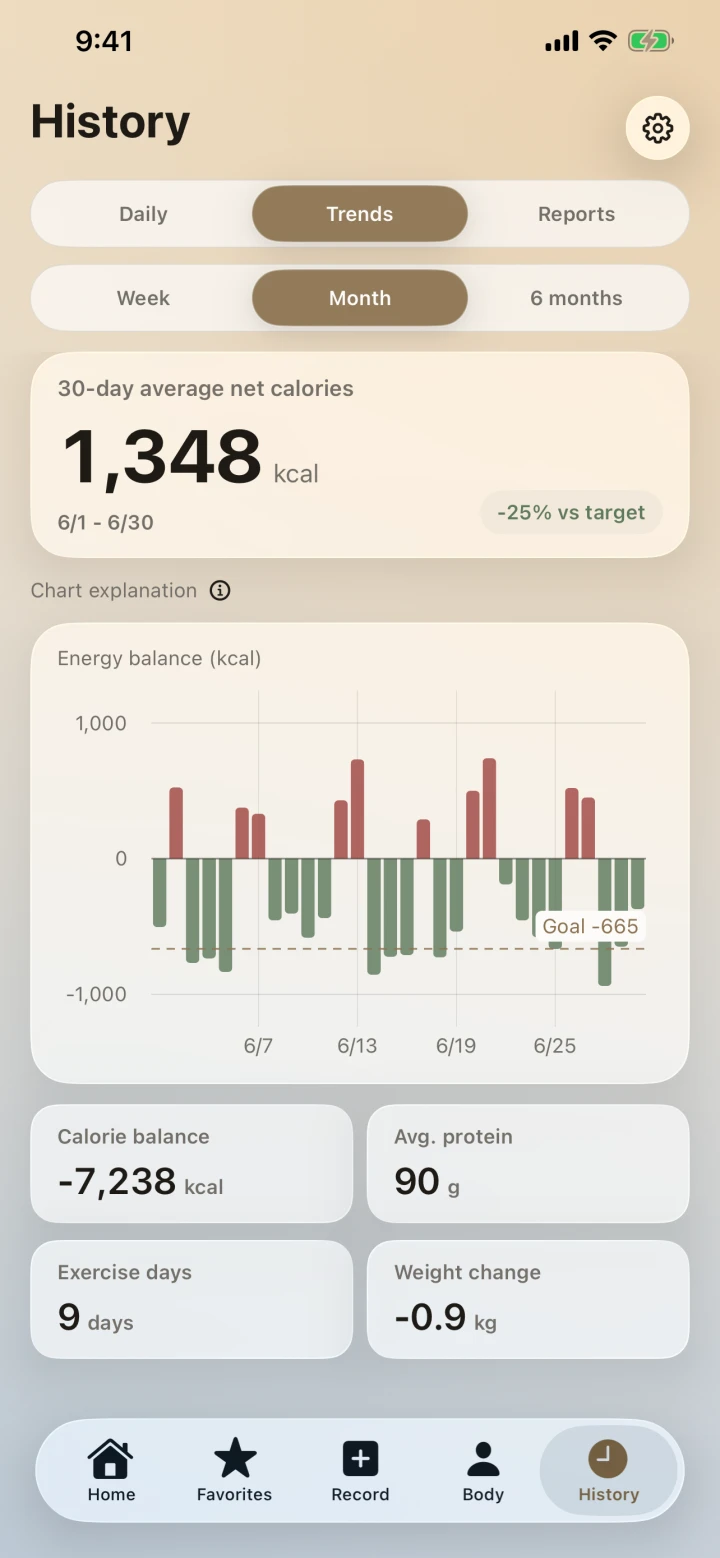
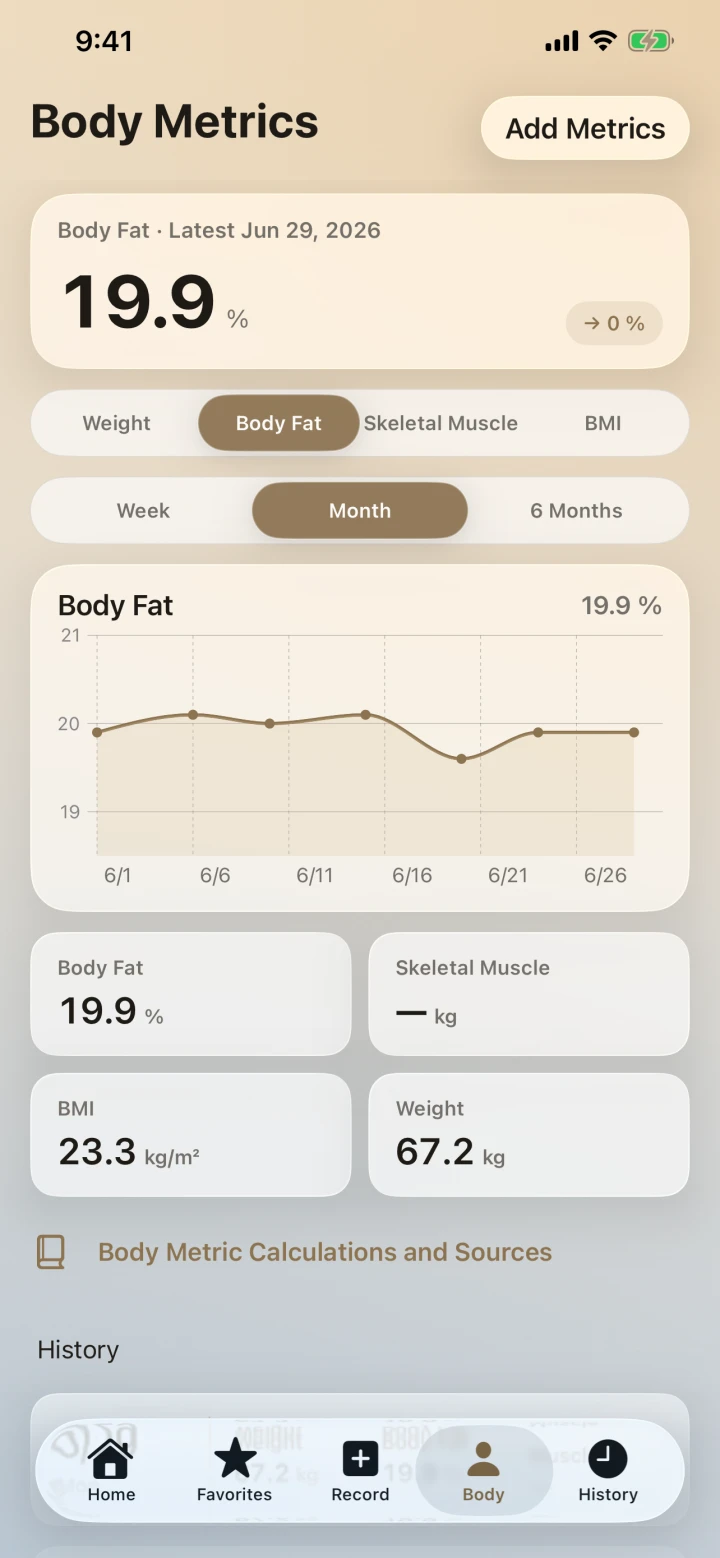
Your saved records stay with you
What you eat and how your body changes are personal. Your saved records stay on your device, rather than being synchronized to our server.
- Stored on your device — Your saved meal, exercise, body-metric, goal, favorite-food, report, and analysis records stay on your device.
- AI helps with the analysis — When you request analysis, your text or photos are sent through our backend for processing after the consent disclosure. They do not become a server copy of your saved history.
- Manual Google Drive backup — Back up to the private app-data area of your own Google Drive account, then restore when you change devices or reinstall.
Simple, transparent credits
All features are available without a paid unlock. Only AI analysis and report generation use credits.
01Start when you download
New users receive 10 credits. Text analysis uses 1 credit, photo analysis uses 2 credits, and nutrition-label scanning uses no credits. Try the full workflow first.
02Buy what you need
Buy more credits when you run out. Choose a small or large pack without committing to a monthly fee.
03Subscriptions offer better value
Subscriptions do not unlock extra features. They provide daily credits at better value for people who log regularly.
What to know before downloading
Clear answers about features, credits, subscriptions, and your data.
What can I use without a subscription?
Every feature remains available without a paid unlock. New users receive 10 credits; only text or photo analysis and weekly or monthly report generation use credits.
Can I keep logging after I run out of credits?
Yes. Manual entries, nutrition-label scanning, and adding a saved favorite again do not use credits.
How many credits does each feature use?
Text analysis uses 1 credit, photo analysis uses 2, and nutrition-label scanning uses 0. Weekly and monthly reports each use 2 credits; your first weekly report and first monthly report are each free. Credits are returned if processing fails.
What is the difference between Free, Plus, and Pro?
The features are the same; only the daily credit refill differs: Free 0, Plus 5, and Pro 8. Current Taiwan App Store prices are Plus NT$120 monthly or NT$1,290 yearly, and Pro NT$190 monthly or NT$1,990 yearly. Prices in other regions and the final charge are those shown by the App Store at the time.
Where is my data stored?
Your saved records are stored on your device. When you request AI analysis or a report, the data needed to complete that request is sent to our backend and third parties for processing; see the Privacy Policy for details.
How do I keep my records when changing phones?
Manually create a Google Drive backup in the app first, then sign in to the same Google account on the new device and manually restore it. This is not automatic sync.
How much history do reports need?
A weekly report needs at least 4 days of records, and a monthly report needs at least 14 days. The app shows that data is still accumulating until the period ends.
KCAL LEDGER
Make today’s meals easier to understand.
Download on the App Store today. Questions or ideas? We would love to hear from you.